mdread: a Markdown reader with 10% of the features, built for speed and a 4K screen
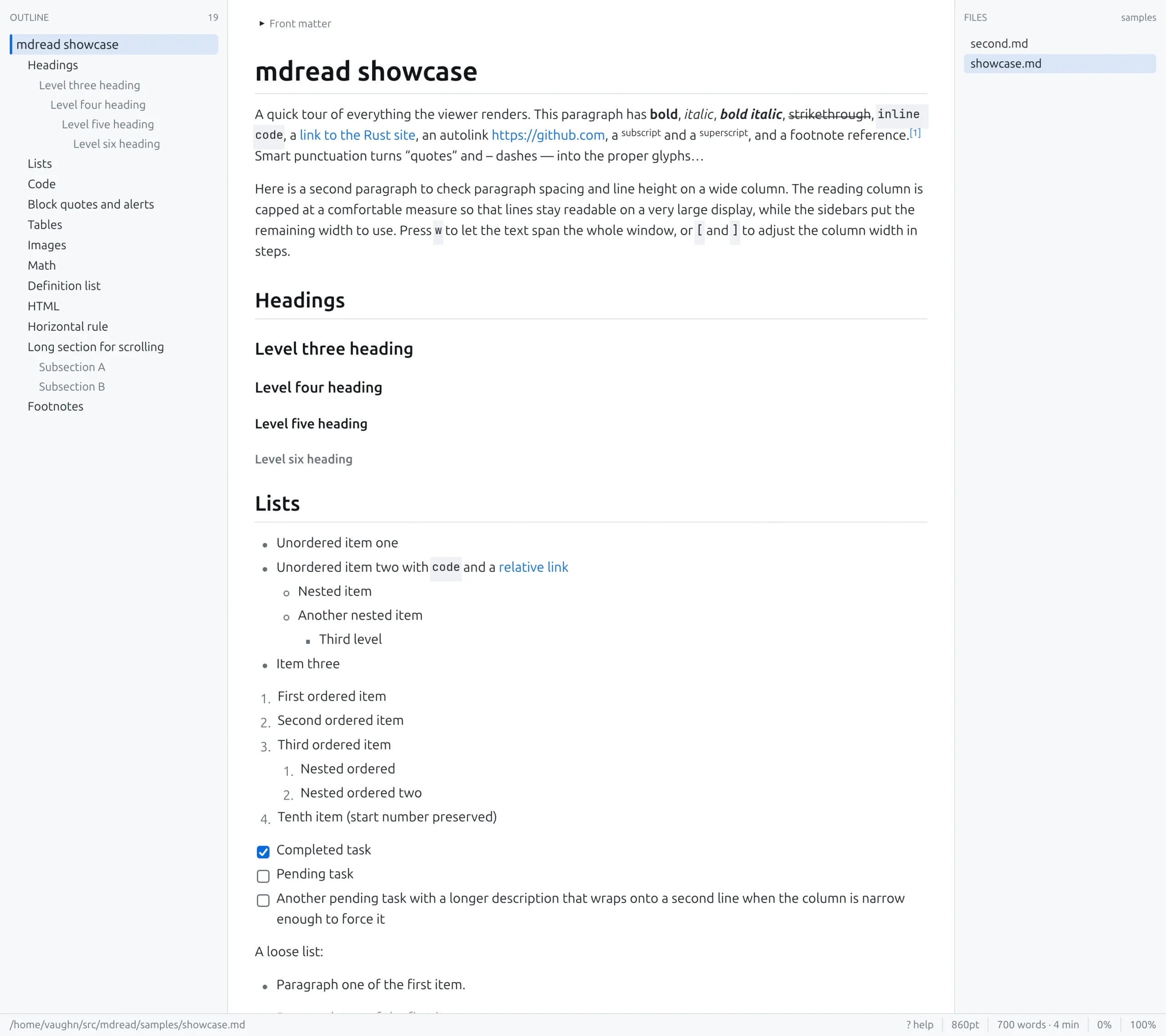
I read a lot of Markdown. READMEs, design notes, plans, and the piles of docs that coding agents churn out. Every tool I tried for reading it was an editor with a preview pane bolted on, a browser extension, or an Electron app that takes a couple of seconds to open a 20 KB text file and then shows it in a narrow column in the middle of a 4K monitor with nothing on either side.
I didn’t want any of that. I wanted something with 10% of the features of every other reader and editor, as fast as possible, and using as much of my 4K screen as it sensibly could. Open a file, read it, close it. No editing, no preview pane, no plugins, no tabs, no sync. So I built mdread. The code is on GitHub at github.com/vaughnd/mdread.
The 10%
It renders GitHub flavoured Markdown properly: tables, task lists, footnotes, alerts, definition lists, front matter, images, and syntax highlighted code with a copy button. Web links open in the browser, relative .md links open in the viewer with back and forward, and #anchors jump within the document. There’s search, text selection, and dark and light themes that follow the system. It reloads when the file changes on disk, so you can leave it open next to your editor or your agent and watch the doc update.
Keys are vim-ish: j and k to scroll, g and G for top and bottom, / to search and n to step through matches, o and f for the sidebars, q to quit. That’s about it. If I want to edit the file I open an editor.
As fast as possible
It’s Rust. egui does the UI and draws everything through OpenGL, pulldown-cmark parses, syntect highlights. The whole thing is about 4,300 lines in nine files, and the release build is a single 17 MB binary with no runtime dependencies beyond Mesa and Wayland or X11.
| Measure | Time |
|---|---|
| Cold start to first frame | about 110 ms |
| Parsing an 800 KB, 1,100 block document | about 4 ms |
| Rendering a frame | under 2 ms |
The frame time comes from two things. The document is parsed once into a tree of blocks, and the renderer only lays out the blocks that are actually on screen; the rest get an estimated height so the scrollbar is right. egui then caches the laid-out text between frames, so a frame where nothing changed costs almost nothing. Scrolling a 1,100 block document feels the same as scrolling a 20 block one.
Using the whole screen
This is the part I actually cared about. On a 4K display most readers give you a narrow column in the middle and a lot of empty space. Full width text is the other extreme: 300 character lines that you lose your place in halfway across.
mdread splits the width in three. On the left is an outline of the headings, which highlights the section you’re reading as you scroll and jumps when you click. In the middle is the reading column, capped at a comfortable measure (860 pt by default; [ and ] change it, w goes full width). On the right are the other Markdown files in the same folder, so a docs directory becomes a one-click browse. Either sidebar toggles off if you just want the column.
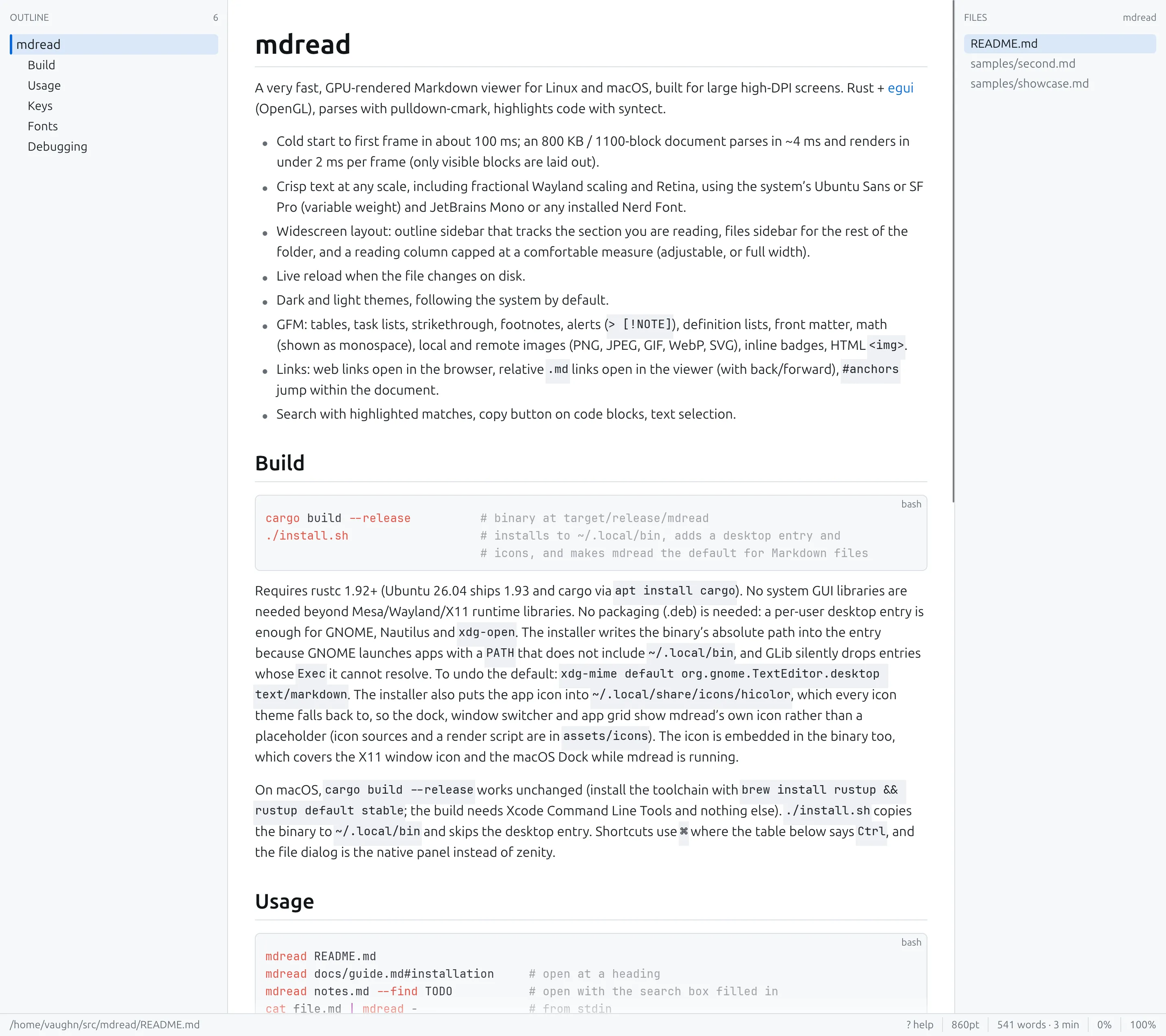
Text is crisp at fractional Wayland scaling, which is still a sore point for a lot of Linux apps. Body text uses the system’s variable weight Ubuntu Sans (SF Pro on a Mac), and code uses JetBrains Mono or whichever Nerd Font you have installed.
Install
git clone https://github.com/vaughnd/mdread
cd mdread
./install.sh
That puts the binary in ~/.local/bin, adds a desktop entry and icons, and makes mdread the default for Markdown files. It needs rustc 1.92 or newer, which on Ubuntu 26.04 is just apt install cargo. On macOS the same build works with the Xcode command line tools; Nick Soper sent a pull request with the Mac font lookup and native file dialog within a day of me pushing it.
The one gotcha
Making it the default viewer for .md files in GNOME didn’t work at first, and it failed silently. The desktop entry had Exec=mdread %f, and GNOME launches apps with a PATH that doesn’t include ~/.local/bin, so GLib dropped the entry without a word even though mimeapps.list pointed straight at it. The installer now writes the binary’s absolute path into the entry. If you ship a per-user desktop entry, do the same.
I built it over a couple of days with Claude Code doing most of the typing. If you read a lot of Markdown on a big screen, try it and tell me what’s broken: github.com/vaughnd/mdread.